
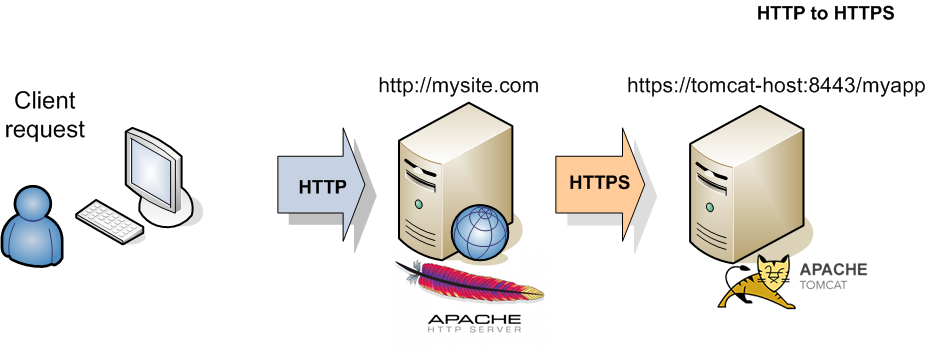
If you’ve ever noticed that some websites start with “http://” and others with “https://”, you might have wondered what the difference is. That extra “s” makes a significant difference in security, trust, and even search engine rankings.
What is HTTP?
HTTP (Hypertext Transfer Protocol) is the foundation of data communication on the web. It defines how messages are formatted and transmitted between web browsers and servers.
However, HTTP has a critical flaw: data is transmitted in plain text. This means anyone who intercepts the connection can read the information being exchanged.
What is HTTPS?
HTTPS (HTTP Secure) is the secure version of HTTP. It uses SSL/TLS encryption to protect data transmitted between the browser and server. When you see the padlock icon in your browser’s address bar, you’re using HTTPS.
Key Differences Between HTTP and HTTPS
1. Security
- HTTP: Data is unencrypted and vulnerable to interception
- HTTPS: Data is encrypted, protecting sensitive information
2. Port Numbers
- HTTP: Uses port 80 by default
- HTTPS: Uses port 443 by default
3. SSL Certificate
- HTTP: No certificate required
- HTTPS: Requires a valid SSL/TLS certificate
4. Browser Indicators
- HTTP: May show “Not Secure” warning
- HTTPS: Shows padlock icon indicating security
Why HTTPS Matters
Protects User Data
HTTPS encrypts all data exchanged, including:
- Login credentials
- Credit card information
- Personal details
- Form submissions
Builds Trust
Users are increasingly aware of security. Seeing the padlock icon builds confidence that their information is safe.
SEO Benefits
Google has confirmed that HTTPS is a ranking factor. Secure sites get a slight boost in search results, and Chrome marks HTTP sites as “Not Secure.”
Required for Modern Features
Many modern web features require HTTPS:
- Progressive Web Apps (PWAs)
- Geolocation API
- Service Workers
- HTTP/2 protocol
How to Migrate from HTTP to HTTPS
- Obtain an SSL certificate (free with Let’s Encrypt or from your host)
- Install and configure the certificate on your server
- Update internal links to use HTTPS
- Set up 301 redirects from HTTP to HTTPS
- Update your sitemap and Google Search Console
Conclusion
In today’s web environment, HTTPS isn’t optional—it’s essential. It protects your users, builds trust, and improves your search rankings. If your site is still on HTTP, migrating to HTTPS should be a top priority.
Need help securing your website? ZenoCloud provides free SSL certificates with all hosting plans and expert support for migration.